
786JL Register: Sign Up on Your Phone With OTP
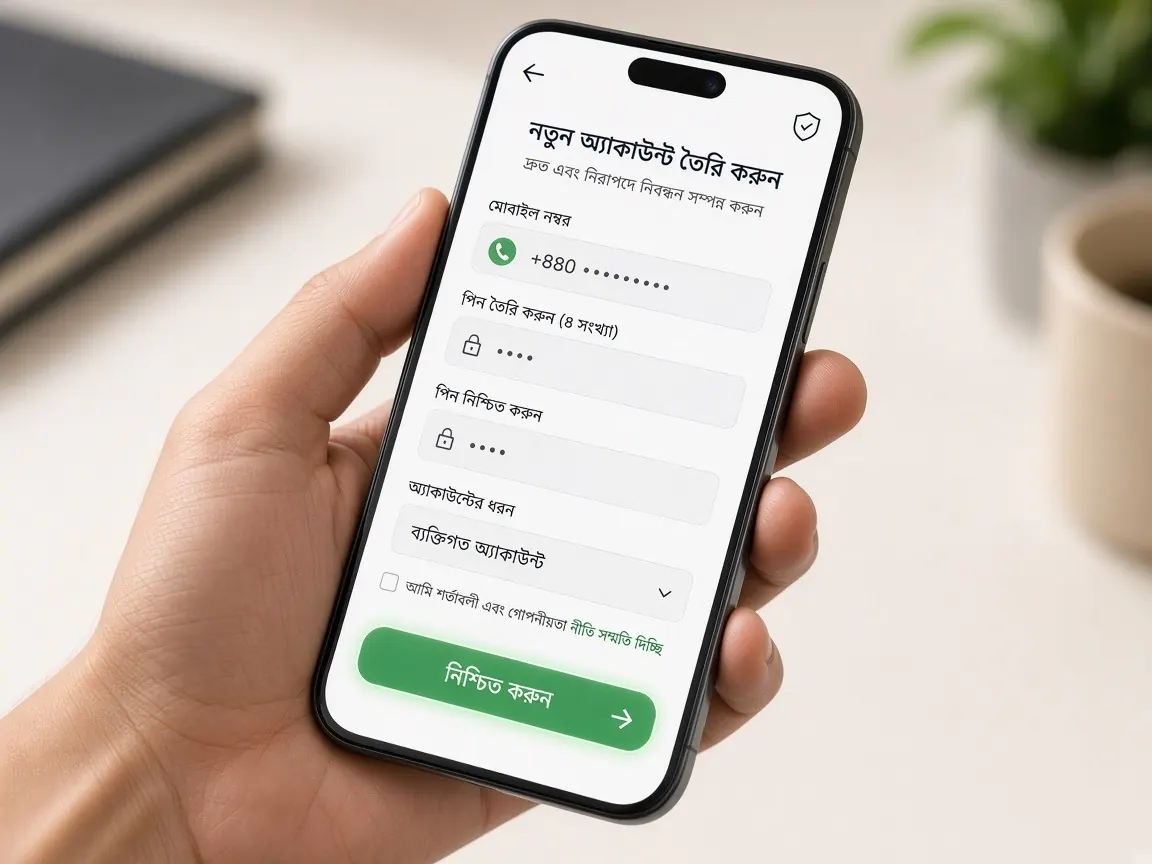
You can open an account entirely on your phone — no computer needed. But if you get a few things right at the start, you will have far fewer problems later with login, OTP or withdrawals. This guide site has no registration form — fill in the form only in the official lobby.
Get your phone ready before you start
- Check that the SIM you will register with is active in the phone, because the OTP will come to it.
- If your SMS inbox is full, delete old messages to make space.
- If your network is weak, move to a spot with better signal; if the connection drops halfway through submitting the form, you may have to start again.
- Remember whether the bKash, Nagad or Rocket account you will use is in your own name.
How to register on 786JL step by step
- Open the official lobby with this page's lobby button — not from an unknown link or ad.
- Tap the "Register" or "Sign up" button.
- Enter your own mobile number. Check twice that every digit is correct.
- When the OTP arrives, enter the code. On many Android phones it fills in automatically; if not, type it by hand.
- Choose a strong password — do not reuse a password from another site or Facebook.
- Read the terms, confirm you are 18+ and submit the form.
Common problems on budget phones
The keyboard covers the form
On a small screen, the keyboard hides the buttons at the bottom when it opens. Fill in one field, close the keyboard, then scroll to the next one. Turning the phone sideways (landscape) sometimes helps too.
The OTP arrives late
When the network is busy, SMS can arrive late. If you keep asking for a new code, the previous one gets cancelled — so wait a little, then try once more. On a dual-SIM phone, check that the SIM you are registering with is the one active for SMS.
The page froze after submitting
Do not submit again right away; a second attempt with the same number may get blocked. Refresh the page and try to log in — if the account was already created, you will get in. If not, tell the lobby's live chat. A separate page covers login problems: login guide.
Small differences between Android and iPhone
On Android, Google's keyboard often picks up the OTP from SMS and shows it above the keyboard — one tap fills it in. On iPhone, Safari usually suggests the code above the keyboard with "From Messages". If neither works, open the SMS, remember the code and come back to type it; on low-RAM phones the form may be cleared while switching apps, so come back quickly.
If you are offered to save the password, you can save it on your own phone. But do not rely on the phone alone — also write the password down somewhere separate.
Best time to register on slow data
In the evening or during big matches the network is busier, so pages load slowly and SMS arrives late. If possible, open your account at a quieter time or on Wi-Fi. Close extra browser tabs; this takes load off the phone and makes the page respond faster.
What to do right after opening your account
- Write your password down somewhere safe; you will need it again if you clear the phone's cache or get a new phone.
- Check that your name and details in the profile are correct — they may be matched later when you withdraw. Details in the account verification guide.
- Download the lobby app if you like, or bookmark it in your browser — see app vs browser.
- Before depositing, read the payments page and follow only what the lobby's cashier shows.
- If there is any offer for new members, it will be shown with its terms on the lobby's promotions page — bonus guide.
- Before you deposit, read the rules: fishing, slots, color prediction.
Things you should never do
- Do not open an account with someone else's number or wallet.
- Avoid anyone calling themselves an "agent" who asks for money to open an account for you — agent warning.
- Never tell anyone your OTP; real support never asks for it.
- Do not try to open more than one account; it can cause problems under the lobby's rules.
- Do not fill in forms on pages from unknown links or "referral" messages; check the address first — guide to spotting the real lobby.
Short questions about registering on a phone
Is there a form on this page?
No. Read the lesson in your phone's browser. The form opens on the lobby page.
Can one SIM hold two accounts?
No. One SIM, one account. A second one can cause trouble later with login and withdrawals.
Which boxes get filled in?
Your own number, a new password, and the 18+ tick. On a small screen, fill one box, close the keyboard, then scroll to the next.
Should I forward the OTP?
No. When the code arrives, type it into the lobby's box yourself. Forwarding the SMS hands over the key to the account.
I remember an older account. What now?
Do not fill in the form again. Open the login guide.
On your phone, open the two offers separately: a free bonus for registering, then 100% on the first deposit. Read the terms before you open bKash.
What people ask before and after opening an account
Should I type my number with +880 or start with 01?
Look closely at the number box on the form. If the +880 country code is already filled in beside it, check the grey example inside the box to see whether you still need the leading 0. If no code is shown, enter the full 11-digit number. A wrongly formatted number is a common reason the OTP never arrives.
I registered with the wrong number. What now?
Do not deposit into that account. Before opening a second account with the right number, tell the lobby's live chat what happened, because having two accounts can cause trouble later. If the number belongs to someone else, the OTP goes to them, so treat that account as out of your control. Support will explain what can be done under the lobby's rules.
Do I need an NID or other documents to register?
Fill in only the boxes the lobby's form shows. If your name or identity needs to be matched later, before a withdrawal, that request will come from inside the lobby. If anyone asks you to send a photo of your NID on WhatsApp or Telegram, do not; the real process never happens outside the lobby. Details are in the account verification guide.
Do I get a free bonus just for registering?
There is a free signup bonus for new members. How it is activated, how long it lasts and which conditions apply are all written on the lobby's promotions page. Read those terms fully before you claim it, and do not rush. For a general overview, see the signup bonus guide.
Do I have to deposit money right after opening an account?
No, depositing is entirely your decision. Look around the lobby first, read the game rules and set your own budget. Even with the 100% first-deposit match on offer, understand the terms shown in the lobby before you go ahead. Deposit steps for bKash, Nagad and Rocket are on the payments page. 18+ only.
This is an unofficial guide, not the official 786JL site. For people aged 18 or over only. Set a budget and play responsibly — responsible play.